
Why Your Wireless Network Sucks: Copy of a Copy, and the Ethernet Backbone That Fixes It
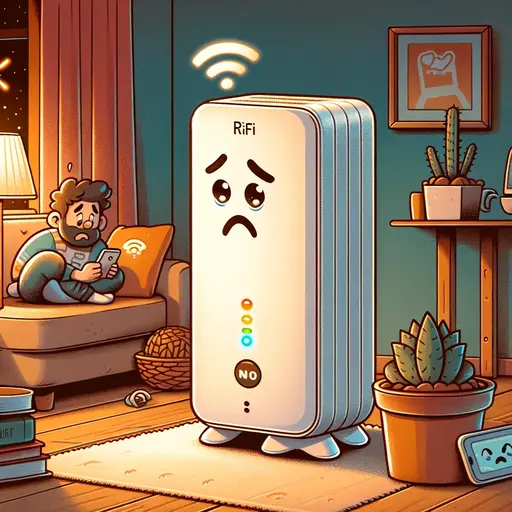
Slow Wi-Fi is rarely a router problem. It is almost always a chain problem — and the chain has a physics layer underneath it that explains exactly why each wireless hop without a wired backhaul degrades like a photocopy of a photocopy. This guide names that physics, then walks through what an Ethernet backbone, proper cabling, and modern Wi-Fi 6/7 actually fix.
TL;DR
Each wireless extender or mesh node without a wired backhaul shares one half-duplex radio between talking to the upstream access point and talking to your device. The IEEE 802.11 medium access protocol (CSMA/CA) cannot do both at full speed simultaneously, so per-hop usable throughput is roughly halved, and noise plus retransmits compound the loss 12. After two relayed hops you are typically at ~25% of nominal; after three, ~12.5%. That is the "copy of a copy" problem expressed in physics. The fix is an Ethernet backbone — Cat6A or Cat8 cable feeding access points so the radio's airtime is spent on you, not on relaying its own backhaul. Modern Wi-Fi 6/7 with proper wired backhaul (for example, a Ubiquiti Dream Machine plus U7-class APs on Cat6A) does soften the older "always halve" rule when deployed correctly, and the section below names that honestly. Specialized environments — mine rescue, military operations — solve wireless backhaul with leaky-feeder cable systems and dedicated MANET radios, not consumer 802.11 gear from a big-box store. Tracking the gap between speed paid for and speed actually delivered to the endpoint has been my discipline for fifteen years (out of 27+ in IT overall), and the work below is the engineering that makes it possible.
Why Ethernet Backbone Matters
You'll often find Ethernet cables in many modern buildings, even in areas with wireless access points. These cables are more than just physical connections; they are the backbone of a solid wireless network. Here's why.
1. Stability and Speed
Imagine your wireless network as a busy highway. Without a solid infrastructure, it's like having a road full of potholes and detours. An Ethernet backbone serves as this highway, ensuring a smooth and fast flow of data traffic. This setup enables your devices, such as smartphones and laptops, to enjoy higher Wi-Fi speeds and more reliable connections — because the access point's radio is now spending its airtime serving you instead of relaying its own backhaul.
2. Overcoming the Weak Links
Wireless extenders and standalone Wi-Fi access points seem like convenient solutions, but they're often the weakest links in your network. When these devices aren't connected to an Ethernet backbone, they rely heavily on their internal radios. It's like asking a single traffic cop to manage an entire city's traffic — it's inefficient and leads to congestion.
When we see clients with multiple wireless extenders plugged into electrical outlets that do not have Ethernet ports, we immediately know how to fix it. If the access point isn't connected to the Ethernet backbone, it must use its radios for the wireless backhaul in a wasteful manner. Because no Ethernet cable is providing the source (internet), it must utilize its radios to establish that connection before it even considers passing the internet to your device.
The reason is structural, not vendor-specific. IEEE 802.11 uses CSMA/CA — Carrier Sense Multiple Access with Collision Avoidance — which is fundamentally half-duplex on a single radio and channel: the same airtime cannot carry traffic in both directions at once 1. The classic Bianchi 2000 analysis quantified the saturated-throughput ceiling of 802.11 once collision and back-off overhead are accounted for 2. Add the requirement that one radio also serve as its own backhaul, and the airtime budget collapses.
3. The "Copy of a Copy" Phenomenon
Each wireless extender without an Ethernet connection roughly halves your network's usable throughput. It's like making a photocopy of a photocopy — quality degrades with each iteration. Connecting these devices directly to an Ethernet source preserves the original quality of your internet connection.
The math behind the metaphor is straightforward:
- Half-duplex airtime sharing. A single-radio relay must alternate between receiving from the upstream AP and transmitting to the downstream client on the same channel. CSMA/CA forbids simultaneous transmit-and-receive on that channel, so each relayed hop with shared backhaul gives you approximately half of the per-hop link speed in usable throughput 12.
- Compounding across hops. Two relayed hops drop you to ~1/4 (≈25%) of nominal. Three hops, ~1/8 (≈12.5%). This is multiplicative, not additive, which is why "just adding another extender" almost never solves a coverage problem — it deepens it.
- Shannon-Hartley capacity loss with distance and noise. The maximum information rate of any channel is C = B · log₂(1 + S/N), where B is bandwidth and S/N is signal-to-noise ratio 3. Every wall, every microwave, every neighboring access point degrades S/N. A −3 dB drop roughly halves the linear S/N. That cuts capacity even before retransmits enter the picture.
- Retransmits compound under noise. Lost or corrupted frames must be retransmitted, consuming airtime that would otherwise carry payload. A noisy link does not just lose a fraction of throughput — it loses that fraction and the airtime spent re-sending the failed frames.
A wired backhaul eliminates the half-duplex airtime tax because the relay now has a dedicated full-duplex Ethernet path that does not contend for radio airtime. The radio gets to spend 100% of its airtime serving the client. That is the entire reason the fix works.
For a foundational survey of wireless mesh networking and its scaling limits, the Akyildiz, Wang & Wang 2005 survey in Computer Networks remains a reasonable starting point 4.
When Wireless Mesh Actually Works — and What That Costs
Being honest about scope: there are two cases where the older "always halve per hop" rule softens.
Case 1: Modern Wi-Fi 6/7 mesh with a wired backhaul. When the relay nodes are themselves connected by Ethernet (so the airtime tax disappears) and the radios are IEEE 802.11ax (Wi-Fi 6) 5 or 802.11be (Wi-Fi 7) 6 with multi-link operation, OFDMA, and 6 GHz spectrum, the client-facing link can be far closer to nominal than the older 802.11n/ac math suggested. This is why a properly deployed Ubiquiti UniFi setup — a Dream Machine plus U7-class access points wired on Cat6A, with PoE++ over IEEE 802.3bt 7 — can deliver multi-gigabit throughput to a modern client. The old adage that "Wi-Fi can never reach wired speeds" is being challenged in practice by this generation of gear, and it is honest to say so.
The mechanism behind that softening deserves a name. IEEE 802.11be-2024 introduces a Multi-Link Operation (MLO) mode called Simultaneous Transmit and Receive (STR), which lets an MLO-capable device communicate across non-overlapping bands — typically 5 GHz and 6 GHz — at the same time, partially side-stepping the half-duplex constraint that bounds single-band single-radio operation 6. STR is the mechanism behind the genuine throughput gains seen on properly-deployed Wi-Fi 7 hardware, and it is a useful, narrowly-scoped softening of the older "always halve per hop" rule. The honest qualifier: full STR support is hardware-dependent. Many access points marketed as "Wi-Fi 7" actually implement non-simultaneous modes — Non-STR (NSTR) or Enhanced Multi-Link Single Radio (EMLSR) — because the in-device filtering required to prevent one radio's transmission from desensitizing the other radio across bands is expensive to build correctly. MLO meaningfully reduces latency and recovers some of the airtime budget; it does not eliminate the underlying physics of shared spectrum, and it does not eliminate the need for a wired backhaul to reach peak capacity.
The catch: the wired backhaul is not optional. The instant you remove it and let the AP self-mesh on its own radios, the half-duplex airtime tax returns.
Case 2: Specialized non-802.11 systems. Mine rescue, cave operations, and tactical military communications do solve wireless connectivity in extremely difficult environments, but they do not do it with the consumer 802.11 gear sold at big-box stores. They use leaky-feeder coaxial cable strung along tunnels (a long radiating cable that acts as a distributed antenna), as has been documented for decades in NIOSH mine-communications research 8; public-safety land-mobile radio systems built on standards such as APCO Project 25 (P25), with a published TIA standards suite 9; and mobile ad-hoc networks (MANETs) running custom routing protocols on dedicated hardware. None of these are interchangeable with a $99 home Wi-Fi extender. When someone says "wireless mesh just works in caves," what is actually deployed is engineered radio infrastructure with planned coverage and dedicated backhaul — not consumer self-meshing.
The point of this section is to scope honestly: an Ethernet backbone is the right answer for almost every home and business, and the cases where wireless-only "just works" are either (a) modern Wi-Fi 6/7 with a wired backhaul (still fundamentally wired), or (b) specialized engineered systems that no consumer is buying off a shelf.
Real-World Impact
In my on-site experience, the overwhelming majority of customer calls regarding internet issues trace back to a missing or weak Ethernet infrastructure. Once we introduce an Ethernet backbone and switches that can actually handle an enterprise backplane (rather than the lowest-spec consumer gear a distributor happens to be pushing), the improvement in network performance is both immediate and measurable. Your smart home is, in load terms, an enterprise; it deserves gear to match.
My Fifteen-Year Standard: Speed You Pay For, Delivered to Your Endpoint
Most network problems are not router problems — they are chain problems. I have been working in IT for 27+ years, but the specific discipline of tracking speed paid for versus speed actually delivered to the endpoint is younger than that — about fifteen years, going back to the heyday of the 1 Gbps cable-modem rollout, when the gap between what an ISP delivered and what reached the laptop first became impossible to ignore in my field work. The moment 2 Gbps service hit, the floor on every switch I deployed moved to 2.5 GbE minimum — no exceptions — because the alternative was watching a paying customer's modern service get throttled by yesterday's switch in the closet. The pattern has been consistent ever since: the speed you are paying your ISP for is almost always available somewhere in the chain; the question is whether the cabling, the switches, the connectors, the grounding, and the access points between the demarcation point and your laptop are good enough to deliver it intact.
A few illustrative cases from the field:
- The "5G tower next door" speed test. I have walked clients outside their house with their iPhone, stood within line of sight of a visible 5G mid-band cell site, and watched the speed test pin into multi-gigabit territory on the carrier network — well above what the same phone manages indoors a hundred feet later. That is the supply side proving it can deliver. The job inside the house is to make sure nothing in the chain — the modem, the gateway, the switch port, the patch cable, the wall jack, the run, the AP — silently caps that capacity.
- 10 Gbps symmetric to a MacBook Pro. I had a client paying for 10 Gbps service who could not get above ~1 Gbps on any device — and the cap was not the laptop. The MacBook Pro's USB-C was perfectly capable; the problem was that every wired link in that path was capped at 1 GbE by the switch in the closet. I replaced it with a real multi-gig switch — the model I installed provided 10G / 5G / 2.5G / 1G / 100 Mb copper on every RJ45 port, fully backwards-compatible with no negotiation surprises — added a 10 GbE USB-C adapter on the MacBook Pro, and ran Cat6A throughout. Full ten down, ten up at the endpoint. The service was real; the chain just had to be made worthy of it.
- The 2.5 GbE and 5 GbE switch gap. Many homes still have 1 GbE switches sitting between a multi-gig ISP service and the access point. Multi-gig (NBASE-T, IEEE 802.3bz) switching is the missing link in countless installations and is a common silent cap 10.
The work is not glamorous. It is measurement: every cable, every connector, every switch port, ground continuity where it matters, and end-to-end iperf at the endpoint. That is the only honest way to confirm a client is getting what they pay for.
How to Upgrade Your Network
Upgrading to an Ethernet-backed wireless network might sound daunting, but it's feasible for most homes and offices. Consider consulting with a professional to plan the layout and installation.
If you've found a competent low-voltage or AV company, they will offer you several grades of Ethernet cable and explain the differences. We install Cat6A, Cat8, and SFP fiber so all our clients are ready for 10 GbE and beyond, and we choose gear on merit rather than on which exclusive distributor a shop happens to be locked into.
The Scientific Facts: Cabling, Bandwidth, and the Standards That Define Them
The category ratings are not marketing — they are defined by the ANSI/TIA-568.2-E twisted-pair cabling standard 11, and the Ethernet variants that ride on top of them are defined by IEEE 802.3 12.
- Cat5e: rated to 100 MHz. Adequate only for 1 Gbps (1000BASE-T). Not future-ready; we discourage new installs.
- Cat6: rated to 250 MHz. Supports 10GBASE-T only at reduced distances — commonly cited as up to ~55 m in low-alien-crosstalk environments, and as little as ~37 m in densely bundled installations 11. Cat6 can carry IEEE 802.3bt PoE++ if the installed channel meets the electrical and thermal requirements; the issue is design margin, not capability. Cat6 conductors are typically 24 AWG against Cat6A's 23 AWG, which means more I²R resistive heating per ampere and tighter bundle-size limits under TIA TSB-184-A's bundle-temperature-rise ceiling 13 — variables that compound as PoE class climbs. IEEE 802.3bt-2018 defines the power envelope: Type 3 up to 60 W at the PSE (~51 W minimum delivered at the PD) and Type 4 up to 90 W at the PSE (~71 W delivered at the PD) 7; TIA TSB-184-A is the canonical industry document on bundle-thermal derating for power-over-balanced-twisted-pair installations 13, and the temperature-rise data it documents is what makes Cat6A the industry-preferred minimum for high-wattage PoE bundles in modern integrator practice. For new PoE-rich properties — properties that will collect PoE cameras, doorbells, access points, thermostats, and PoE++ gear in shared bundles — design around Cat6A from day one. Red line for modern PoE-rich smart-home builds: do not design new properties around Cat6.
Safe side — Cat6A and Cat8 below
- Cat6A: rated to 500 MHz. Full 10GBASE-T at the standard 100 m channel length, and supports the higher PoE classes (PoE++ up to 90 W per port at the PSE — ~71 W delivered at the PD — per IEEE 802.3bt Type 4) 7.
- Cat8: rated to 2000 MHz (2 GHz). Defined for 25GBASE-T and 40GBASE-T (IEEE 802.3bq) 14 but only at short distances — typically up to 30 m for the full 40 Gbps channel 11. That is why Cat8 is found in data-center top-of-rack runs, high-end creative studios (8K video workflows), and demanding home-office runs that fit inside the 30-meter envelope.
Engineering note: PoE budgets are real load math. A modern smart home is, in load terms, a small commercial PoE deployment. Four PoE cameras at ~10 W each, a video doorbell at ~5 W, two PoE thermostats at ~5 W each, three PoE++ access points at up to 90 W per port at the PSE (~71 W delivered at the PD per IEEE 802.3bt Type 4 7) — and the switch closet is quietly pushing well into the hundreds of watts of DC across bundled twisted-pair. Adding the per-port wattages, picking a switch with adequate PSE budget headroom (not just adequate port count), and choosing cabling whose thermal envelope handles the bundled load is engineering work, not shopping. It is also why cable category is not a marketing detail — it is a load decision.
Cat8 is the current top of the twisted-pair stack. Beyond that, we move to SFP/SFP+/SFP28 fiber for the runs that need it.
For the record: we do not accept payments from manufacturers or distributors to recommend their products. Recommendations are based on what actually delivers measured performance to the endpoint.
Conclusion
Why does your wireless network suck? Almost always because the chain between the ISP demarcation and your device has wireless links doing work that should be done by copper or fiber, and the half-duplex physics of those wireless links is silently halving — or quartering, or worse — the speed you are paying for.
An Ethernet backbone is rarely glamorous, and it is almost always the answer. Done well, it delivers the full speed your ISP sold you to the device on your lap, with headroom left over for whatever comes next.
Call 619-853-5008 and schedule a walkthrough for a rock-solid plan for your home or office.
References
IEEE. (2024). IEEE Standard for Information Technology — Telecommunications and Information Exchange Between Systems — Local and Metropolitan Area Networks — Specific Requirements — Part 11: Wireless LAN Medium Access Control (MAC) and Physical Layer (PHY) Specifications (IEEE Std 802.11-2024, REVme). Current rolled-up base standard, published April 28, 2025; supersedes IEEE Std 802.11-2020 (which remains an authoritative reference for the substantive CSMA/CA half-duplex behaviour cited here, unchanged across the revision). https://standards.ieee.org/ieee/802.11/10548/
Bianchi, G. (2000). Performance analysis of the IEEE 802.11 distributed coordination function. IEEE Journal on Selected Areas in Communications, 18(3), 535–547. https://doi.org/10.1109/49.840210
Shannon, C. E. (1948). A mathematical theory of communication. Bell System Technical Journal, 27(3), 379–423; 27(4), 623–656. https://doi.org/10.1002/j.1538-7305.1948.tb01338.x
Akyildiz, I. F., Wang, X., & Wang, W. (2005). Wireless mesh networks: A survey. Computer Networks, 47(4), 445–487. https://doi.org/10.1016/j.comnet.2004.12.001
IEEE. (2021). IEEE Standard for Information Technology — Telecommunications and Information Exchange Between Systems — Local and Metropolitan Area Networks — Specific Requirements — Part 11: Wireless LAN MAC and PHY Specifications — Amendment 1: Enhancements for High-Efficiency WLAN (IEEE Std 802.11ax-2021). https://standards.ieee.org/ieee/802.11ax/7180/
IEEE. (2024). IEEE Standard for Information Technology — Telecommunications and Information Exchange Between Systems — Local and Metropolitan Area Networks — Specific Requirements — Part 11: Wireless LAN MAC and PHY Specifications — Amendment: Enhancements for Extremely High Throughput (EHT) (IEEE Std 802.11be-2024). The IEEE 802.11 working group page tracks current amendment status: https://www.ieee802.org/11/Reports/tgbe_update.htm
IEEE. (2018). IEEE Standard for Ethernet — Amendment 2: Physical Layer and Management Parameters for Power over Ethernet over 4 Pairs (IEEE Std 802.3bt-2018). https://standards.ieee.org/ieee/802.3bt/6749/
National Institute for Occupational Safety and Health. Mine communications research — overview of leaky-feeder and through-the-earth communications systems used in underground mining and rescue. U.S. Centers for Disease Control and Prevention. https://archive.cdc.gov/www_cdc_gov/niosh/mining/topics/EmergencyCommunicationsandTracking.html
Telecommunications Industry Association. TIA-102 series — Project 25 (P25) digital land-mobile radio standards for public-safety communications. https://tiaonline.org/committee/tr-8-mobile-and-personal-private-radio-standards/
IEEE. (2016). IEEE Standard for Ethernet — Amendment 7: Media Access Control Parameters, Physical Layers, and Management Parameters for 2.5 Gb/s and 5 Gb/s Operation, Types 2.5GBASE-T and 5GBASE-T (IEEE Std 802.3bz-2016). https://standards.ieee.org/ieee/802.3bz/6130/
Telecommunications Industry Association. (2024). Balanced Twisted-Pair Telecommunications Cabling and Components Standard (ANSI/TIA-568.2-E). Document published October 23, 2024; TIA public release announcement Arlington, VA, November 5, 2024; ANSI-approved. Revises and supersedes ANSI/TIA-568.2-D (2018), consolidating the prior amendments and updating nomenclature. Defines categories Cat5e through Cat8 and their reach for the corresponding Ethernet variants. TIA announcement: https://tiaonline.org/standardannouncement/tia-publishes-new-standards-ansi-tia-568-2-e-and-ansi-tia-568-5-1/. Document listing (Accuris/Techstreet, TIA's official distributor): https://store.accuristech.com/standards/tia-ansi-tia-568-2-e?product_id=2921304.
IEEE. (2022). IEEE Standard for Ethernet (IEEE Std 802.3-2022). https://standards.ieee.org/ieee/802.3/10422/
IEEE. (2016). IEEE Standard for Ethernet — Amendment 3: Physical Layer and Management Parameters for 25 Gb/s and 40 Gb/s Operation, Types 25GBASE-T and 40GBASE-T (IEEE Std 802.3bq-2016). https://standards.ieee.org/ieee/802.3bq/6227/
Telecommunications Industry Association. (2017). Guidelines for Supporting Power Delivery Over Balanced Twisted-Pair Cabling (TIA TSB-184-A). Documents temperature rise in cable bundles under Power over Ethernet loads and provides category and bundling guidance for high-power PoE installations. https://store.accuristech.com/standards/tia-tsb-184-a?product_id=2594177
A BibTeX file for these references is available at /field-notes/why-your-wireless-network-sucks.bib for one-click import into Zotero or any reference manager.
Last updated April 25, 2026 — verified against IEEE 802.11-2024 (REVme, current rolled-up base; supersedes 802.11-2020), IEEE 802.11ax-2021, IEEE 802.11be-2024 (MLO/STR/EMLSR/NSTR mode definitions), IEEE 802.3-2022, IEEE 802.3bt-2018 (PoE++ Type 3/4 wattages), IEEE 802.3bz-2016 (NBASE-T 2.5/5GBASE-T), IEEE 802.3bq-2016 (Cat8 25/40GBASE-T), ANSI/TIA-568.2-E (2024, supersedes -D), TIA TSB-155 (Cat6 10GBASE-T 55 m / 37 m AXT-dependent reach), TIA TSB-184-A (2017, PoE bundle thermal), and current operational deployment experience.